
On Standard and Pro
A white-label portal for every client you serve.
If your software makes decisions on behalf of other businesses, give each one its own read-only view of them, in its logo and colours. They answer their own questions instead of emailing you.
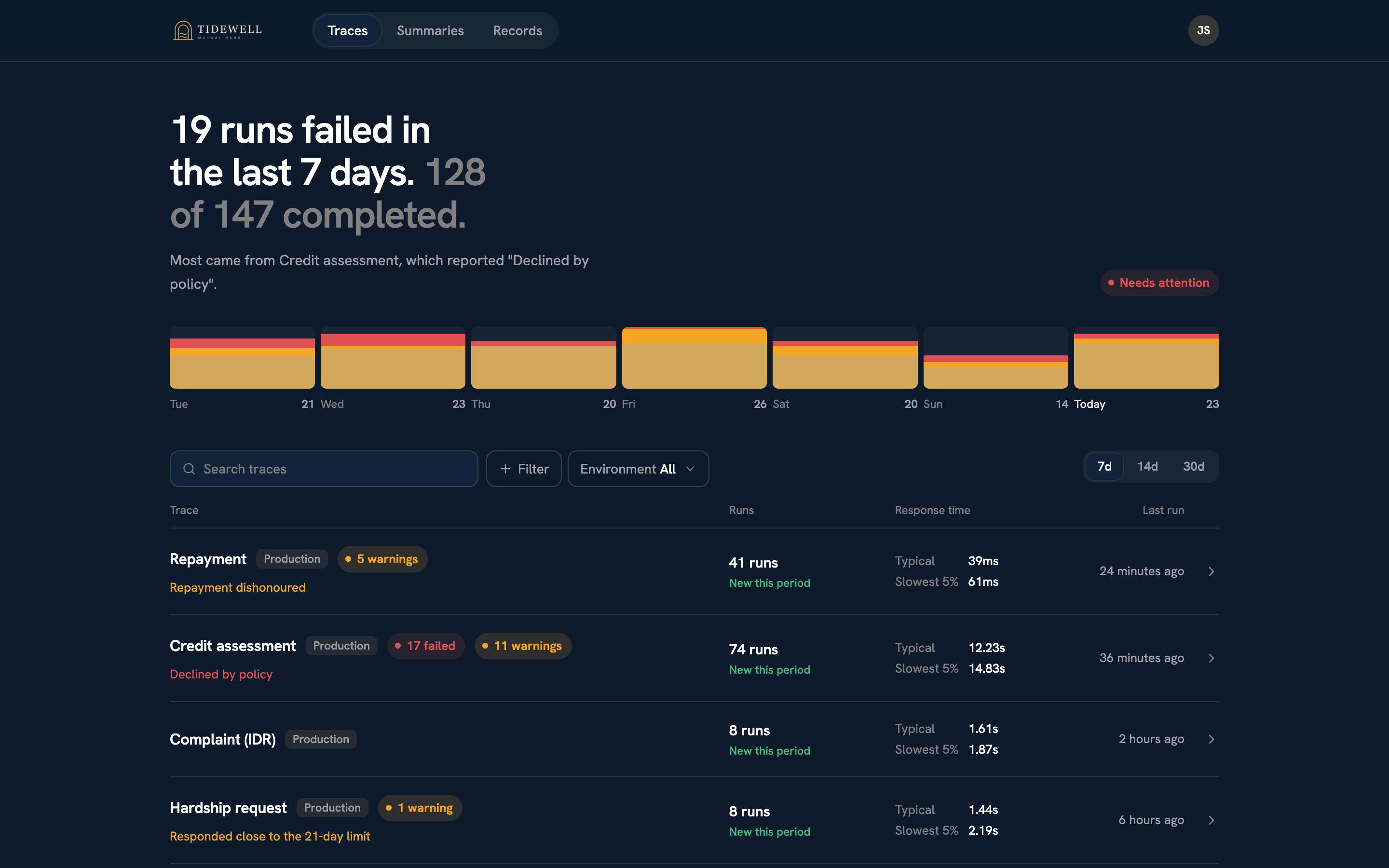
19 runs failed in the last 7 days. 128 of 147 completed.
- Credit assessmentDeclined by policy
- Repayment41 runs
What your client sees.
Everything about their own decisions, and nothing about anyone else’s.
Their decisions
Every decision made for them, with the steps you choose to share, so they can see why each one came out the way it did.
A summary of how it’s going
How many ran, how many failed and what keeps going wrong, over the last 7, 14 or 30 days.
The reports you issue them
Monthly health reports or exception logs, kept in their portal, and checkable by anyone as genuine.
Their records
Every decision as a row they can search, filter and export, long after the traces expire. Pro
The real thing.
A client’s portal, in its own branding. They see their week at a glance, then any decision in full.
What you control.
Set a portal up once. New decisions show up in it as they happen.
Which decisions it shows
Matched by a value you already send, like a customer ID. A portal never shows another client’s data.
Which steps it shows
Only the steps you mark as public. Internal checks stay internal, in its reports and exports too.
How it looks
Their logo and colours, for light and dark mode. Recount appears only as a small credit in the footer.
Who gets in
Invite their people by email. Your own team can open any portal to see exactly what its members see.
Where it lives
At yourteam.recount.refactor.gg/client, or on your own domain, like portals.yourcompany.com/client. Pro
Standard
$15
per portal a month, on Recount’s address
Pro
$9
per portal a month, with records, and on your own domain if you like
On top of the plan, in AUD.
Questions, answered.
How do client portals work?
If your software makes decisions on behalf of other businesses, you can give each of them its own white-label, read-only portal, in its logo and colours. It shows only that business’s decisions and the reports you issue it, and on Pro its records too, so it can answer its own questions instead of asking you. Portals are on the Standard and Pro plans, and on Pro they can be served from your own domain, like portals.yourcompany.com.
What can a client see in their portal?
Only the traces that belong to them, matched by a value you already send such as a customer ID, and only the steps you mark as public. Their reports, summaries and, on Pro, their records follow the same rule, so nothing a portal exports shows more than its members could see live.
How do clients get access?
You invite their people by email from the portal’s page in the dashboard. Invitations last 7 days. Your own team can open any portal to see exactly what its members see.
What does a portal cost?
Portals are $15 per portal a month on Standard and $9 per portal a month on Pro, in AUD, on top of the plan. Pro also lets you serve every portal from your own domain.
Your software already makes the decisions.Now it can explain them.
Free to start. No credit card required.